
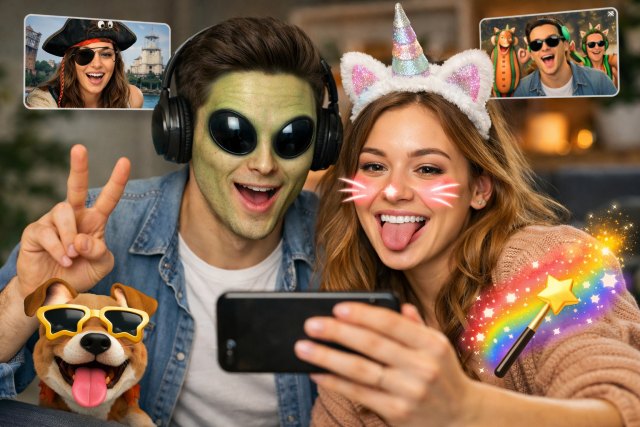

Google Duo became one of the most popular video calling apps because of its simplicity, reliability, and fun features. One feature many users love is the ability to add playful filters, masks, and visual effects during calls.
If you’ve ever wondered how to get effects on Google Duo, you’re not alone. Many users want to enhance their video calls with AR filters, animated masks, and creative backgrounds.
In this detailed guide, you’ll learn how to get effects on Google Duo, where to find hidden filters, and how to use them to make your video calls more entertaining.
What Are Google Duo Effects?
Google Duo effects are augmented reality (AR) filters and animations that appear on your face or screen during video calls. These effects can include animated masks, funny characters, lighting changes, and interactive overlays.
They are powered by Google’s advanced machine learning and AR technology that tracks facial movements in real time.
According to Google developers, AR effects are designed to make communication more expressive and engaging, especially for casual calls with friends and family.
Many messaging platforms like Snapchat and Instagram use similar AR technologies to enhance social interaction.
Why People Want To Get Effects On Google Duo
Adding effects to video calls makes conversations more lively and engaging. Users often use these effects for entertainment, especially when talking to children, friends, or family members.
Here are some common reasons people look for how to get effects on Google Duo:
Make video calls more fun
Entertain kids during calls
Add creativity to conversations
Express emotions visually
Break the monotony of standard video calls
With the right effects enabled, even a simple conversation can feel more interactive.
How To Get Effects On Google Duo (Step-by-Step)
If you’re trying to learn how to get effects on Google Duo, the process is actually quite simple.
Step 1: Open the Google Duo App
First, launch the Google Duo app on your smartphone.
Make sure the app is updated to the latest version because older versions may not support effects.
You can update it here:
Android:
https://play.google.com/store/apps/details?id=com.google.android.apps.tachyon
iOS:
https://apps.apple.com
Step 2: Start a Video Call
Tap on a contact from your list and start a video call.
Once the camera opens, you will see the interface where filters and effects can be applied.
Step 3: Tap the Effects Icon
Look for the effects or filters icon, usually located near the bottom of the screen.
When you tap it, a panel of available effects will appear.
These may include:
Face masks
Animated characters
Lighting filters
Seasonal themes
Swipe through the available options and select one you like.
Step 4: Apply the Effect
After selecting an effect, it will automatically apply to your face in real time.
The AR system tracks your facial features so the filter stays aligned even when you move.
You can change effects anytime during the call.
Step 5: Remove the Effect
If you want to return to a normal video view, simply tap the no filter option or close the effects panel.
Hidden Filters Most Users Don’t Know About
Some Google Duo effects remain hidden until certain conditions are met.
For example, Google sometimes releases seasonal AR filters during holidays like:
Halloween
Christmas
New Year
Valentine’s Day
These special filters automatically appear in the effects panel during specific times of the year.
Google occasionally adds new experimental effects as part of feature testing.
Keeping your app updated ensures you never miss them.
How To Enable Google Duo Effects If You Can’t Find Them
Sometimes users cannot find effects even though the feature exists.
If you’re having trouble figuring out how to get effects on Google Duo, try these fixes.
Update the App
Most missing features are caused by outdated versions.
Updating your app often unlocks new filters and AR features.
Check Camera Permissions
Effects rely on camera access and facial detection.
Make sure Duo has permission to access:
Camera
Microphone
Storage
Without these permissions, the effects may not appear.
Restart the App
Closing and reopening the app can refresh the effects library.
If that doesn’t work, try restarting your device.
Clear Cache (Android)
Sometimes corrupted cache data prevents filters from loading.
Steps:
Settings → Apps → Google Duo → Storage → Clear Cache
Popular Google Duo Effects You Can Try
Google Duo includes many entertaining effects designed for different moods and occasions.
Some popular examples include animated masks that transform your face into animals or cartoon characters. There are also playful overlays like floating hearts, sparkles, or glowing frames.
Children especially enjoy character-based effects that mimic playful creatures or colorful costumes.
These features are powered by ARCore, Google’s augmented reality platform used across many Android apps.
Tips To Make Google Duo Effects Work Better
Using effects works best when certain conditions are met.
Good lighting significantly improves face tracking. When your face is clearly visible, the AR filters align more accurately.
A stable internet connection also ensures smooth rendering of effects.
Try holding your phone steady and keeping your face centered in the camera frame.
These small adjustments can dramatically improve the experience.
Common Problems When Getting Effects On Google Duo
Even though the feature is simple, users sometimes encounter issues.
Effects Not Showing
This usually happens when the app version is outdated or your device doesn’t support AR features.
Older phones may lack the hardware required for advanced filters.
Filters Lagging
Lag often occurs due to poor internet connectivity or low device performance.
Closing background apps can improve performance.
Camera Not Detecting Face
Ensure your face is well-lit and clearly visible.
Avoid wearing sunglasses or blocking your face with objects.
Google Duo vs Other Apps With Filters
Many messaging apps offer AR effects, but Google Duo stands out for its simplicity and reliability.
Apps like Snapchat and Instagram provide more advanced filters, but they focus primarily on social media content rather than direct communication.
Google Duo focuses on smooth video calls with subtle fun enhancements rather than complex editing tools.
This makes it perfect for casual conversations with friends and family.
Future of AR Effects in Video Calling
The use of augmented reality in video calls is rapidly growing.
According to a report from Statista, the global AR market is expected to exceed $100 billion in value by 2030.
As AR technology improves, apps like Google Duo will likely introduce more immersive filters, interactive backgrounds, and even 3D avatars.
This will make digital communication even more expressive.
FAQs About How To Get Effects On Google Duo
Where is the effects button on Google Duo?
The effects button appears on the video screen during a call. Tap the filters icon to open available AR effects.
Why can’t I see filters on Google Duo?
You may need to update the app or enable camera permissions. Some older devices also do not support AR filters.
Can I use Google Duo effects on both Android and iPhone?
Yes, most effects are available on both platforms, although some filters may be released earlier on Android.
Are Google Duo filters free?
Yes. All built-in effects and filters in Google Duo are completely free to use.
Conclusion: How To Get Effects On Google Duo Easily
Learning how to get effects on Google Duo is simple and can dramatically improve your video call experience.
By updating the app, enabling camera permissions, and accessing the effects icon during a call, you can instantly unlock a wide range of fun filters and AR masks.
Whether you’re chatting with friends, entertaining kids, or simply making conversations more lively, these features add a creative touch to everyday communication.
As Google continues developing augmented reality tools, we can expect even more exciting ways to personalize video calls in the future.
If you haven’t tried them yet, now is the perfect time to explore how to get effects on Google Duo and turn your regular video calls into a fun, interactive experience.














Leave a comment